Careflow App Overview
Last Updated: June 15, 2026
The Careflow App is the extension layer of the Careflow platform.
It provides the tools needed to integrate third-party services with deployed models — handling consumption of outputs, control actions, and real-time data streaming.
The Careflow App is made up of three core components:
- SDK – Developer toolkit for service integration.
- App Server – Secure API layer that the SDK calls.
- App Management – Credential and profile management tied to deployments.
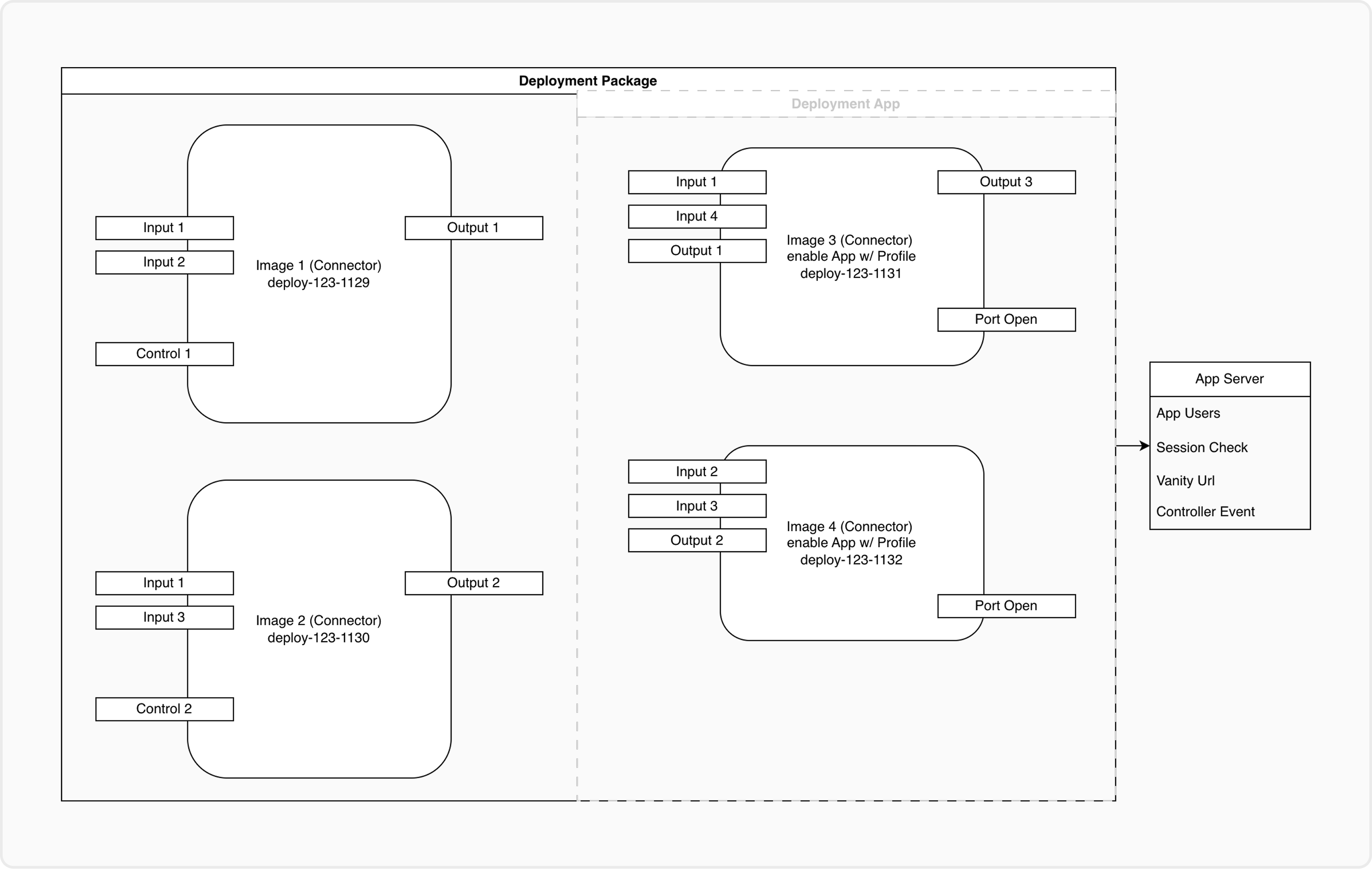
Adjustment on Collection/Orchestrator
Careflow App Architecture
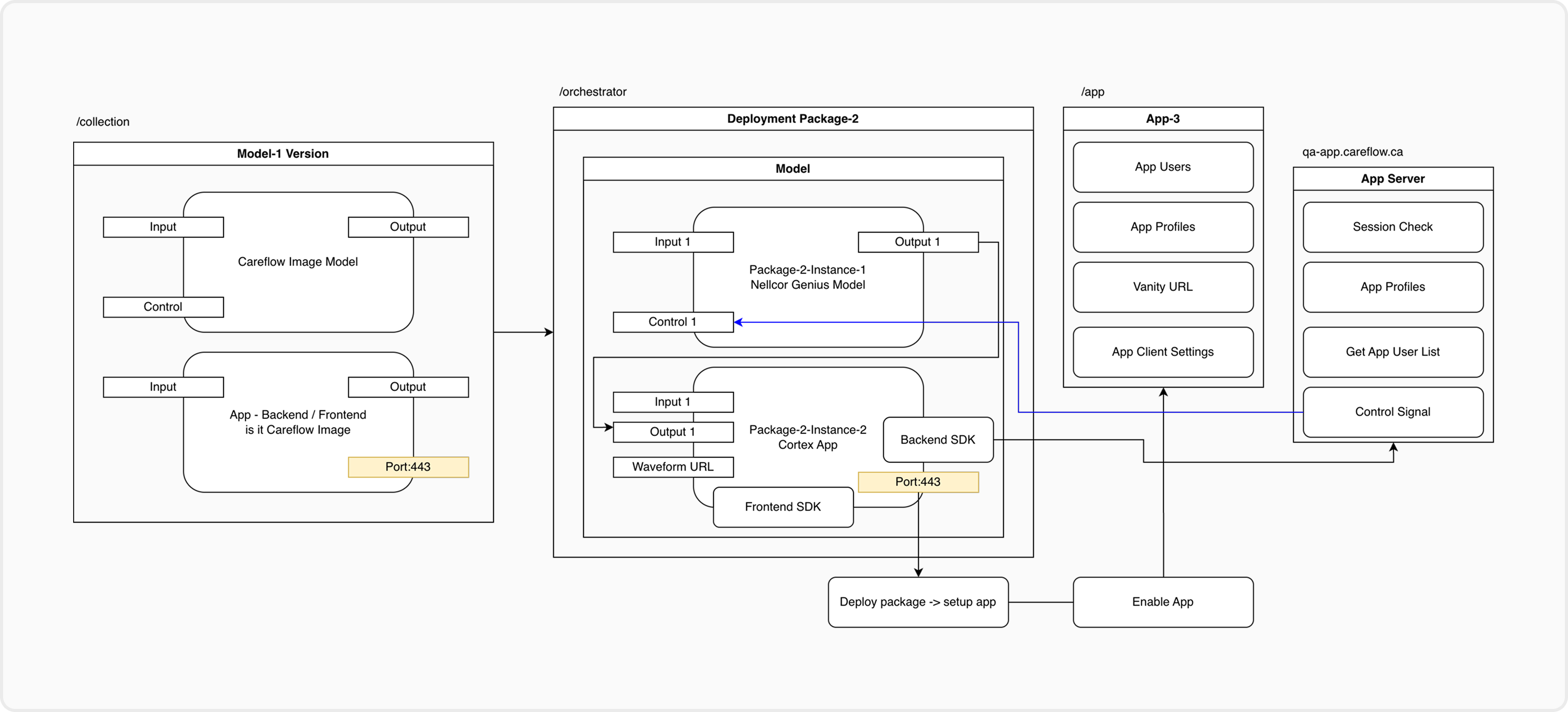
Careflow Deployment → Careflow App
      |                    |
      |——> SDK (3rd-party integration toolkit)
      |——> App Server (secure API for SDK)
      |——> App Management (client ID/secret, profiles, app users)
Components
1. App Managment
App Management governs how Careflow Apps are provisioned, secured, and extended. It defines how credentials are issued, how App Users operate, and how App-specific routing and URLs are managed.
Key Features
App Lifecycle
- Each App is created during Deployment when an Image enables App Access URL.
- An App is always tied to a single deployment instance.
Credential Profiles
- Each App has a single App ID.
- The App can generate multiple credential profiles (one for each image under the deployment), each containing its own profile secret.
- All profile secrets under the same App ID are valid for authentication.
- Profiles allow separation by image.
- Each profile can be independently activated, rotated, or revoked without affecting others.
App Users
- Each App maintains its own list of App Users.
- App Users may access App-facing interfaces, perform user-driven actions, or participate in session validation.
- App Management provides APIs for listing, and managing App User
- App controller server provides API for retrieving app users and validating app user sessions.
Vanity URL Management
- Each App supports vanity URL configuration, allowing custom, user-friendly URLs.
- Vanity URLs are tied to the App instance and can reference App-rendered endpoints, dashboards, or UI elements.
- Routing automatically maps vanity URLs to the underlying deployment resources.
App Server Integration
- App Management stores all credential profiles used for HMAC-signed authentication.
- The App Server retrieves credential profiles to validate incoming requests.
- Multiple secrets mean multiple valid signers can authenticate simultaneously under the same App ID.
- Routing, input/output topic visibility, and runtime behavior are managed per App.
Example
- One deployment → One App.
- The App issues multiple credential profiles → each profile has its own secret.
- Each profile can support a different integration:
- External partner
- Internal batch job
- Staging integration
- Frontend widgets
- Revoking one profile does not affect others.
2. App Server
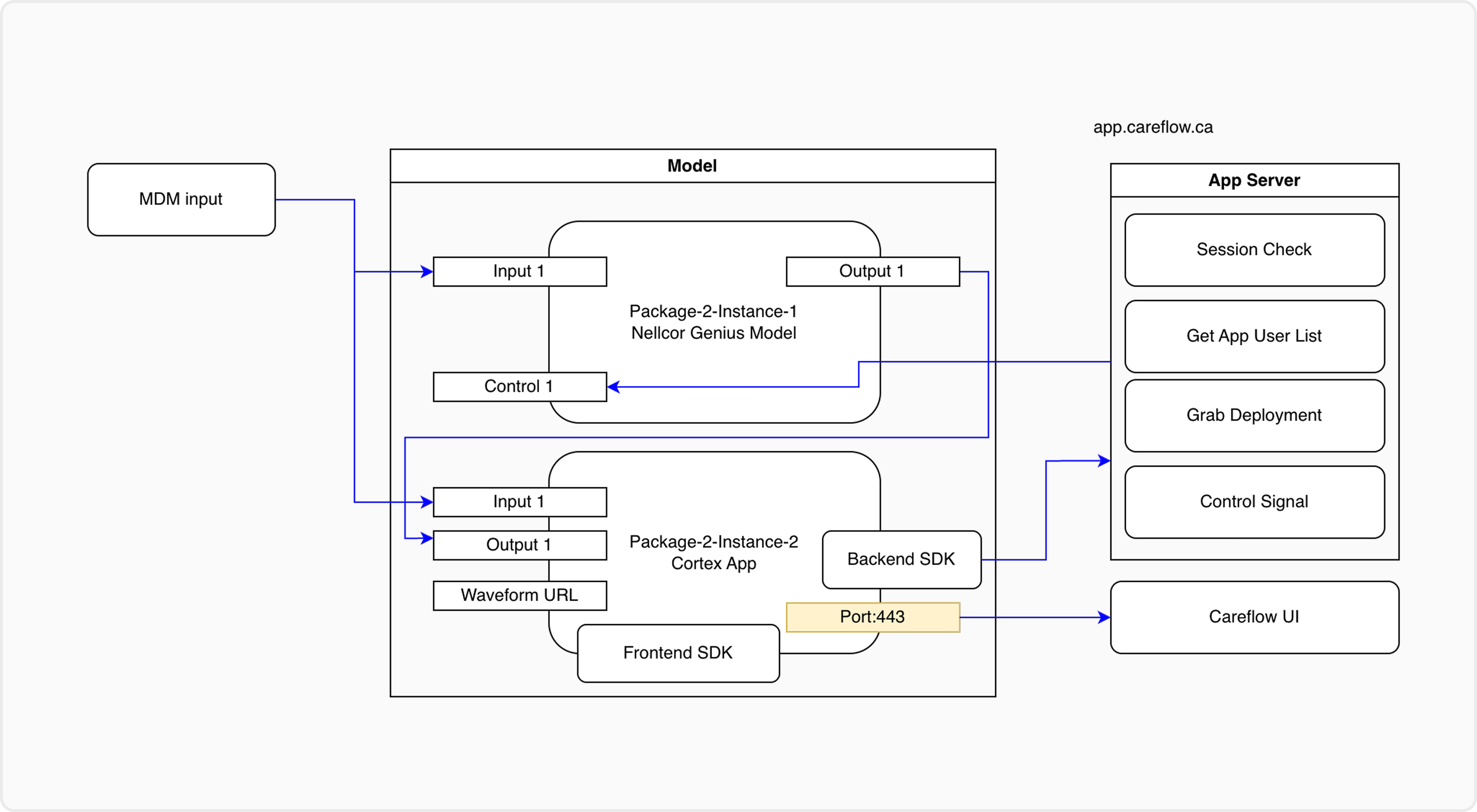
The App Server is the backend service that the SDK talks to. It ensures secure and standardized communication.
Responsibilities
- Authenticate SDK requests using App client ID and secret.
- Expose REST endpoints for input/output retrieval.
- Provide WebSocket URLs for streaming connections.
- Relay control actions to the underlying deployment.
- User session validation
- App User List retrieval
Why it matters
- Keeps deployments isolated from direct external calls.
- Centralizes security and auditing of App interactions.
3. SDK
The SDK is the integration toolkit used by third-party developers to connect backend services or apps with Careflow.
Capabilities
- Connect to the App Server with App credentials.
- Retrieve model input/output through REST calls.
- Subscribe to real-time results via WebSocket.
- Send control signals (start, stop, configure).
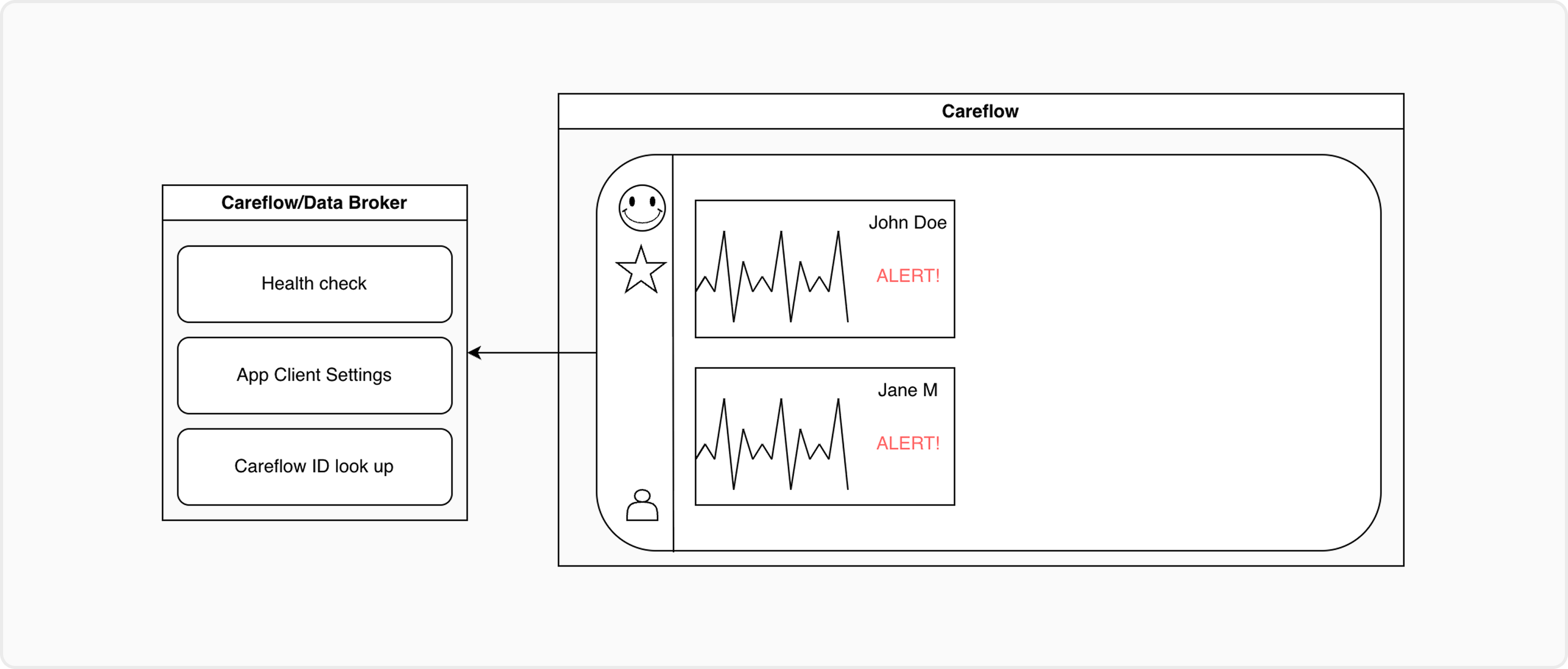
- Handle Careflow user login and redirection flows if required.
Developer Benefit
- Simplifies implementation by abstracting API calls.
- Provides ready-to-use authentication and streaming helpers.
Typical Workflow
- Deployment is created in Careflow.
- App Management provisions an App with credential profiles.
- Third-party developer uses SDK with the client ID/secret.
- SDK authenticates with App Server.
- SDK retrieves data/control endpoints or WebSocket streams.
- App consumes outputs or sends control to the deployment.